
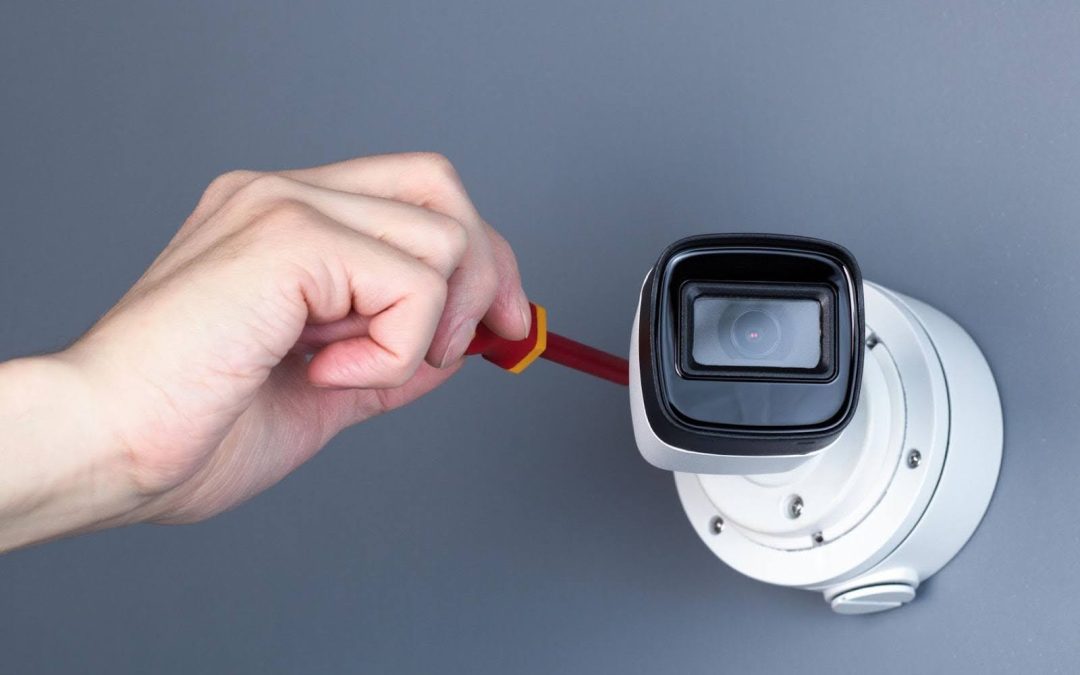
A home CCTV camera provides a unique sense of security. You can check on your home with a quick tap on your phone. Yet, that security can turn into frustration if the camera fails, showing a frozen image or black screen.
Having a non-functioning CCTV camera is not only an inconvenience but also a crucial vulnerability in your home’s safety net. Therefore, when the camera goes offline, your mind might jump into conclusion that your cctv camera is broken
However, before you assume that’s the cause, let’s dive into some of the most common reasons why your CCTV camera might not be working and why the issue may not actually be with the camera itself.
Common Reason Why Your CCTV Camera Is Not Working
A home CCTV system is your first line of defense, providing both a deterrent to intruders and valuable peace of mind. But what happens when your CCTV stops working? A malfunctioning camera can leave a critical gap in your home security.
Many of the camera issues are caused by simple and easy to fix issues. Here are some common reasons why your cctv camera is not working :
1. No Power or Insufficient Power Supply
One of the most common reasons why your CCTV camera is not working is due to lack of power. CCTV needs a stable electricity current in order for it to run properly and having a power issue would likely be the cause of your CCTV stop working.
Here are the key things to check:
- Loose or Disconnected cable – The power cord can get loose or unplugged during installation. Thus, you should check the adapter is connected to the wall outlet and the camera itself.
- Check for Faulty Power Outlet – The problem may not be the camera equipment itself but it’s a possibility that the power outlet can be faulty.
- Power over Ethernet (POE) Issues – Some IP cameras are powered by their Ethernet cable. In these systems, a faulty port on the Network Video Recorder (NVR) or network switch is a likely cause of power failure.
2.Network and Wifi Connection Issues
Network connection issues are another common cause of CCTV problems. Modern IP cameras, both wired and wireless, need a stable internet connection. Without one, the video feed will lag, freeze, or even show as offline.
Here are some of the key network related issues that likely be the probable cause :
- Weak WiFi Signals: Weak WiFi is a big problem for wireless cameras. Your camera might be too far from your router. Walls and appliances can also block the signal. This makes the connection unstable and causes it to drop.
- IP Address Conflict – Every device on your network needs a unique IP address. Sometimes, your router might assign the same address to your camera and another device. This creates a conflict and can knock your camera offline.
- Router Overload – Your router operates all the time. Over time, its memory can get cluttered with data. This affects its performance and causes your CCTV to disconnect unexpectedly.
3.Misconfigured DVR Settings
Sometimes the camera and its connections are fine. The problem is with the software on your recording device. A simple settings mistake in your Digital Video Recorder (DVR) or Network Video Recorder (NVR) can stop the camera from displaying its video.
Here are the key configuration setting to check :
- Disabled Camera Channel – In the recorder’s menu, each camera is assigned a specific channel. You might have disabled the channel by mistake.
- Resolution Mismatch – Your camera and recorder must support the same video resolution. If you install a new high-resolution camera but use an older recorder, the recorder might not be able to process the video. This can cause a black screen.
- Incorrect Network Configuration – You must add each IP camera to the NVR with its unique IP address. If this information is wrong, the NVR cannot find the camera on the network. As a result, the video feed will be lost.
4. Failed or Corrupted Hard Drive In The Recorder
A failed or corrupted hard drive is one of the most critical and deceptive issues your CCTV system can face. Unlike other camera problems, this issue lies in the recorder where video footage is stored. Over time, hard drives can fail due to constant use and stress, leading to corrupted data or complete drive failure.
5. Camera Hardware Failure
Like all electronic devices, security cameras eventually wear out. Internal parts can fail from age, manufacturing defects, or environmental stress. For outdoor cameras, waterproof seals can break down over time. This allows moisture to get inside and damage the internal electronics. A power surge from a lightning storm can also permanently damage the camera’s sensor or mainboard.
How to Fix Them?
Now that you understand the common reasons for camera failure, it’s time to try a few fixes. Before you call a professional for help, try these practical troubleshooting steps.
Step 1 – Reboot Everything
This simple step can usually resolve some of the high number of electronic issues from network conflicts to software glitches on your DVR or NVR.
- How to do it – Unplug your camera, internet router, your DVR/NVR from their power outlets and then wait for at least 30 seconds and then plug them back in
Step 2 – Check All Physical Connections
Cables can become loose over time or get unplugged. You should check that all connections are secure. Replace any damaged cables or connectors, as they could be the cause of the problem.
- How to do it – Go to your camera and your recorder. Push in the power cords and any network cables to ensure they are secure. Inspect the cables for cuts or other damage, and replace them if you find any.
Step 3 – Test Your Power Outlet
If a camera is completely dead, you need to confirm its receiving power or not
- How to do it – Unplug the camera’s power adapter from the wall outlet and then try plug in a different working device, if the device has no power coming to the working device, this means you have a faulty outlet.
Step 4 – Check Your Network and Recorder Settings / Firmware
If the issue seems to be software-related, a quick look at your system’s menu can often reveal the problem and also make sure to update to the latest firmware version for stability and compatibility.
- How to do it – Log into your DVR or NVR main menu. Look for the camera or channel settings page and make sure the channel for the camera is enabled. While you are in there try to update the firmware to the latest version
Step 5 – Isolate the Problem
If you have more than one camera then you can use the working ones to diagnose the faulty ones.
- How to do it – Unplug the non-working camera. Now, take a camera that you know is working and plug it into the exact same power and data cables. If the good camera also stops working, you know the problem is with the cables or the recorder port.
If the good camera works fine, you have confirmed that the original camera has a hardware failure.
Still having trouble fixing your CCTV? – Get In Touch With DR Wifi
Even after your best troubleshooting efforts, the problem may still persist. In that case, our team at DR Wifi is ready to help. Whether it’s a dead camera or a faulty recorder, our experienced professionals will get your security system running smoothly again.
We also provide CCTV installation and setup services, so you don’t have to deal with complicated wiring or configurations and can enjoy complete peace of mind.
Give us a call today or visit our website here at Dr Wifi for more about our service
Conclusion
With that being said, the CCTV system is your first line of defence, and it’s only effective when it’s fully operational. Knowing how to troubleshoot these common issues is a valuable skill and could save you a lot of money.
But it is also important to recognise when a problem requires professional help. So, don’t let a persistent technical fault leave a gap in your home or office safety.
A reliable security system is one you can trust, and ensuring it works properly is the most critical step you can take for your peace of mind.